Keep your favorites close.
Save the moves you love. Your favorites stay shared with the in-game wheel.
 emotes.
Get emotes
emotes.
Get emotes
A little less tactical.
Bring your favorite moves to a whole different game.
01 / THE COLLECTION
From a little victory dance
to a whole different ride.
Try another name or a different filter.
02 / SMALL APP. BIG COLLECTION.
Find it. Preview it. Favorite it.
Then take it into the game.
No folders to juggle. Open the EXE and the loader gets the files it needs.
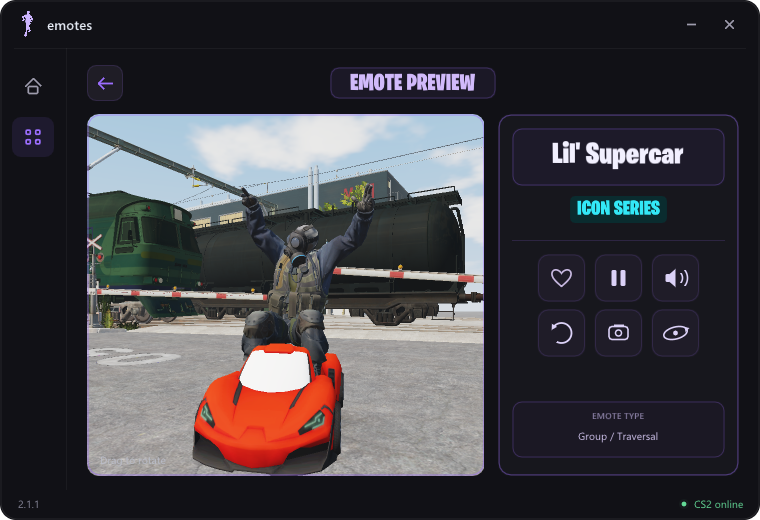
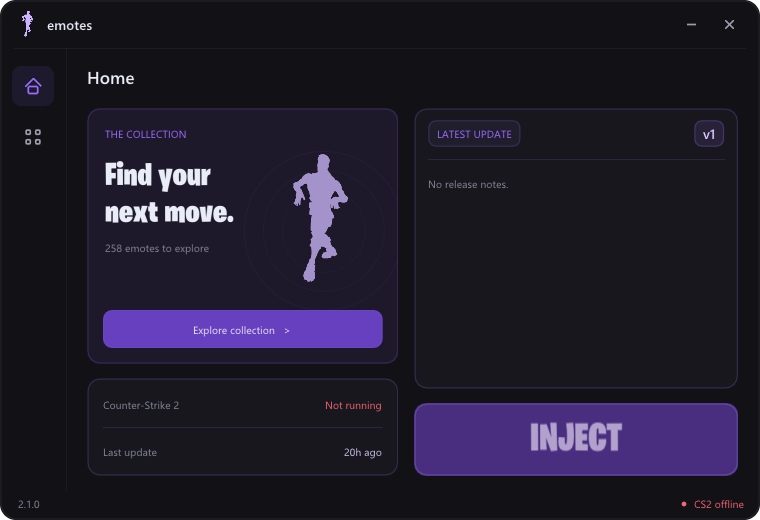
Actual app screenshots. Preview audio plays in the loader.Save the moves you love. Your favorites stay shared with the in-game wheel.
Animations, props and music. Preview your next pick before you load in.
Share emotes with friends who also have the mod and sharing enabled.
03 / STILL MAKING MOVES
The latest notes, straight from the download server.
The loader checks for updates on launch.
The latest release notes will appear here.
YOUR NEXT MOVE STARTS HERE
One download. A whole collection of ways to celebrate.
Get the Windows loaderDownload EmotesLoader.exe. Supporting files download automatically.
Download EmotesLoader.exe. Keep it somewhere easy to find.
Open the loader. It downloads its files automatically—no manual unzipping.
Start CS2, click Inject, then press B for the wheel. F6 stops the emote. Custom bindings stay yours.
A FEW THINGS TO KNOW
No. Download only EmotesLoader.exe. The loader handles its supporting files automatically.
Friends also need the mod loaded, with emote sharing enabled, in the same match or lobby. The mod does not make emotes visible to everyone running unmodified CS2.
The loader checks for updates on launch. Each Inject downloads the current DLL. Keep an internet connection available; if an older DLL is already loaded, unload it or restart CS2 first.
Your existing emote settings and favorites are preserved. Automatic downloads do not replace your personal configuration.
No. This is an independent community project, not affiliated with or endorsed by Valve or Epic Games. Their respective game names and assets belong to their owners.
UNDER THE HOOD
Explore the code. Build it your way.